01 Simplifying education at scale
Slate is a multi-platform education ecosystem designed to simplify and unify school operations across Abuja. Rather than introducing another isolated tool, Slate aimed to become the operational backbone for schools, bringing learning, administration, financial operations, reporting, and stakeholder engagement into a single connected experience.
Over an eight-month engagement, I contributed to the Learning Management System as one of a small design team of two to three designers, and served as the sole designer across several other areas of the ecosystem.
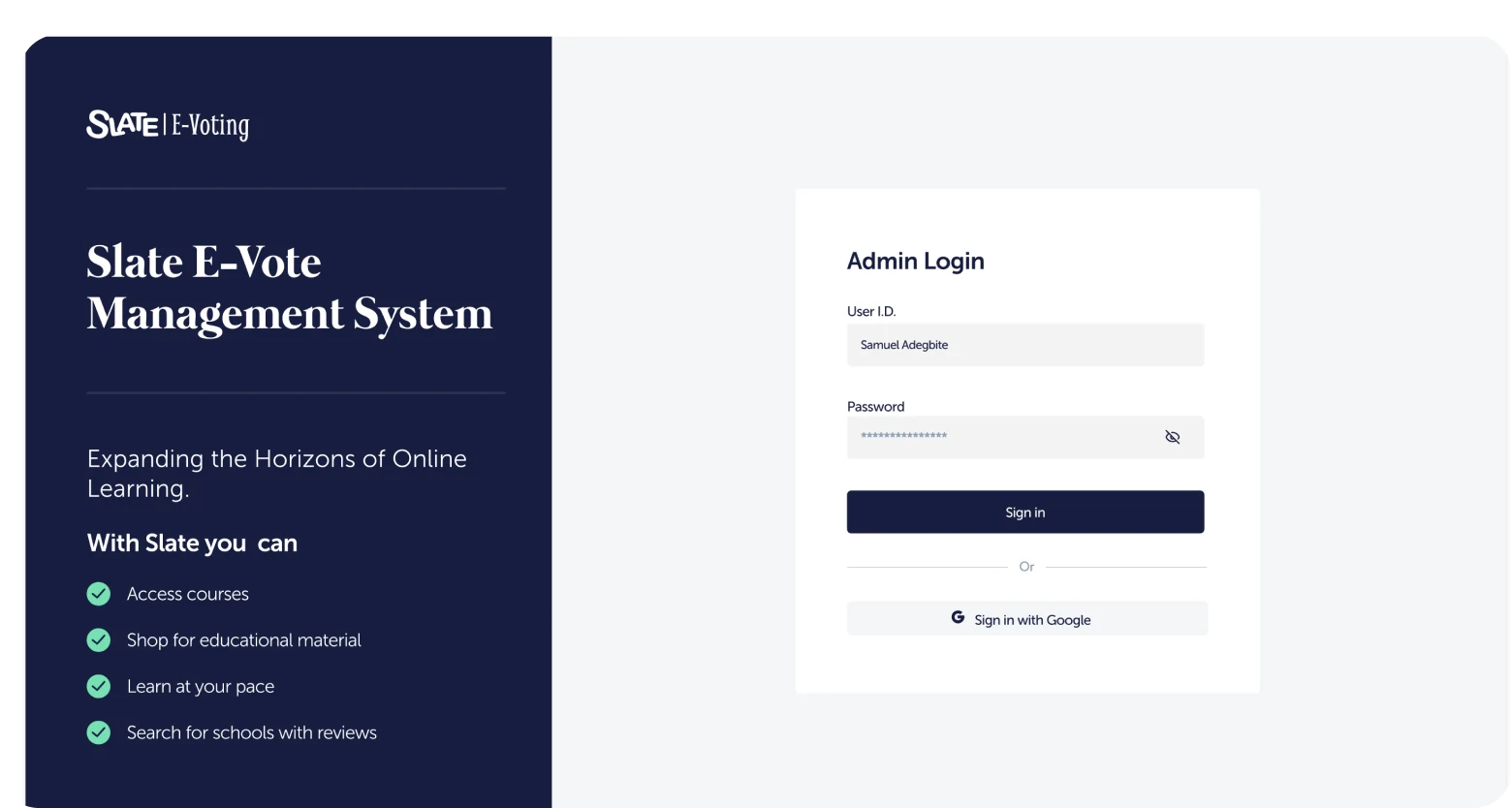
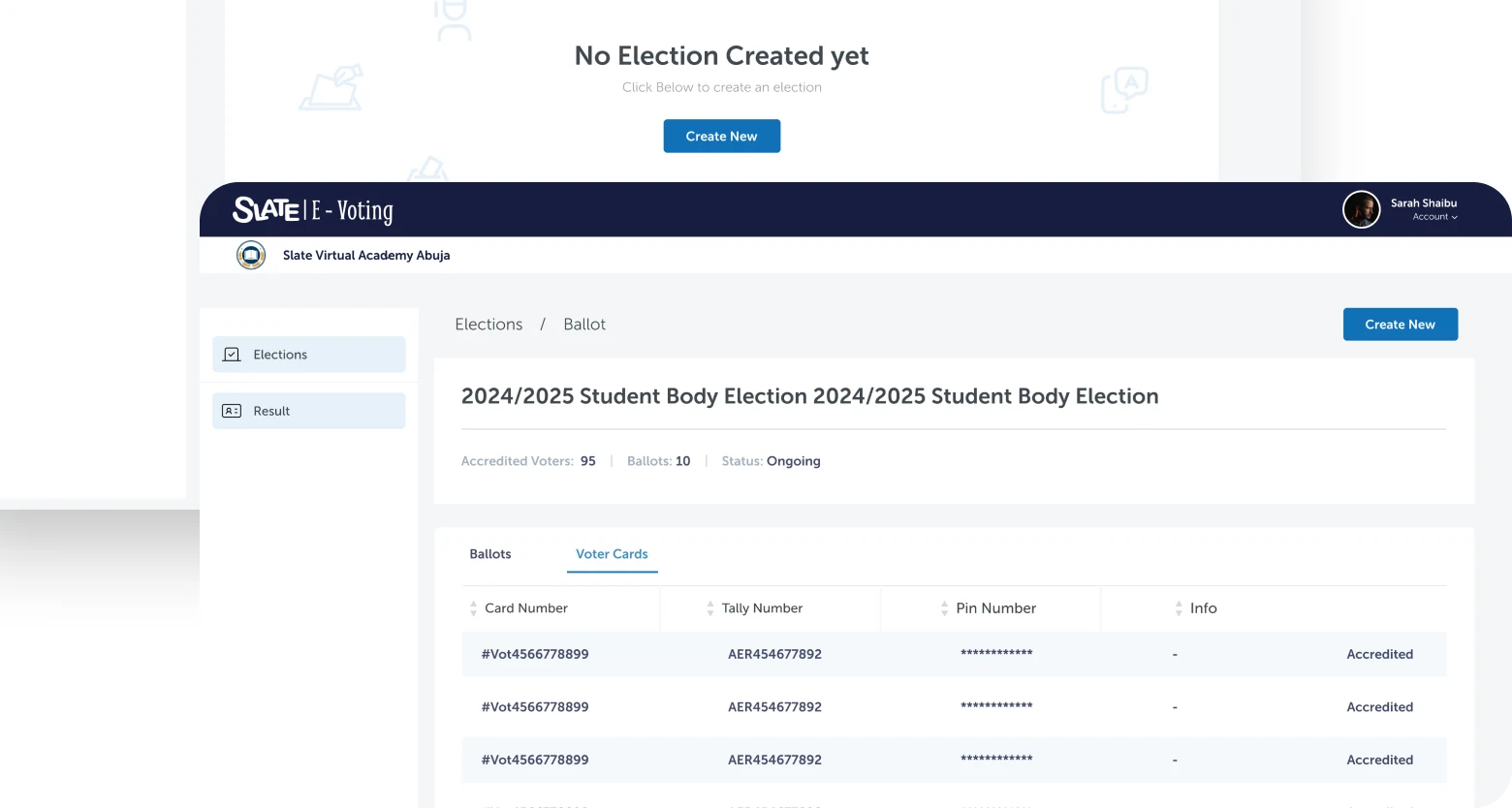
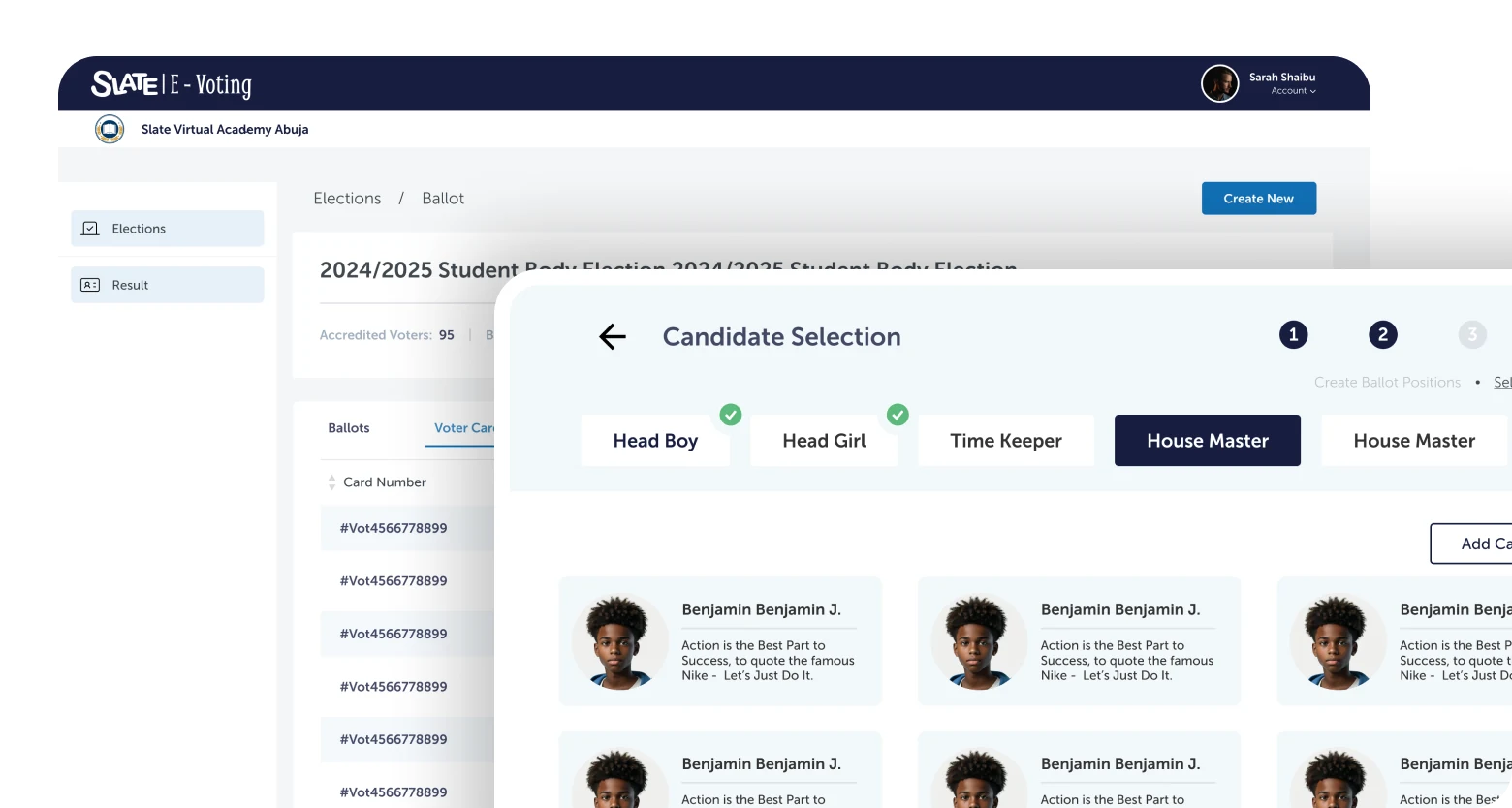
The ecosystem spans day-to-day teaching and administration as well as school-wide events — including Slate E-Vote, a student body election system covering candidate nomination, ballot management, voting and results across desktop, mobile and kiosk.
The goal was simplification at scale: helping administrators, teachers, parents, and students handle everyday tasks through one coherent system.
02 Four stakeholders, one ecosystem
Designing Slate meant balancing four stakeholder groups with different goals, responsibilities, and levels of technical proficiency. Feedback from schools reached the design work through the Slate team rather than through direct school visits: requests and complaints from administrators, teachers, parents and students were relayed into the process, and several of them changed the product directly.
School administrators
Needed oversight across all classes, finances, and staff. Cared about reporting, bulk operations, and operational visibility across the institution.
Teachers
Needed fast access to learning tools and class management features. Speed and clarity were essential — complex workflows weren't an option in a classroom setting.
Parents
Needed visibility into their child's progress, upcoming fees, and school communications, without needing to learn complex software to get there.
Students
Needed structured access to learning materials, assignments, and results. Experiences had to feel approachable and focused across varying levels of digital literacy.
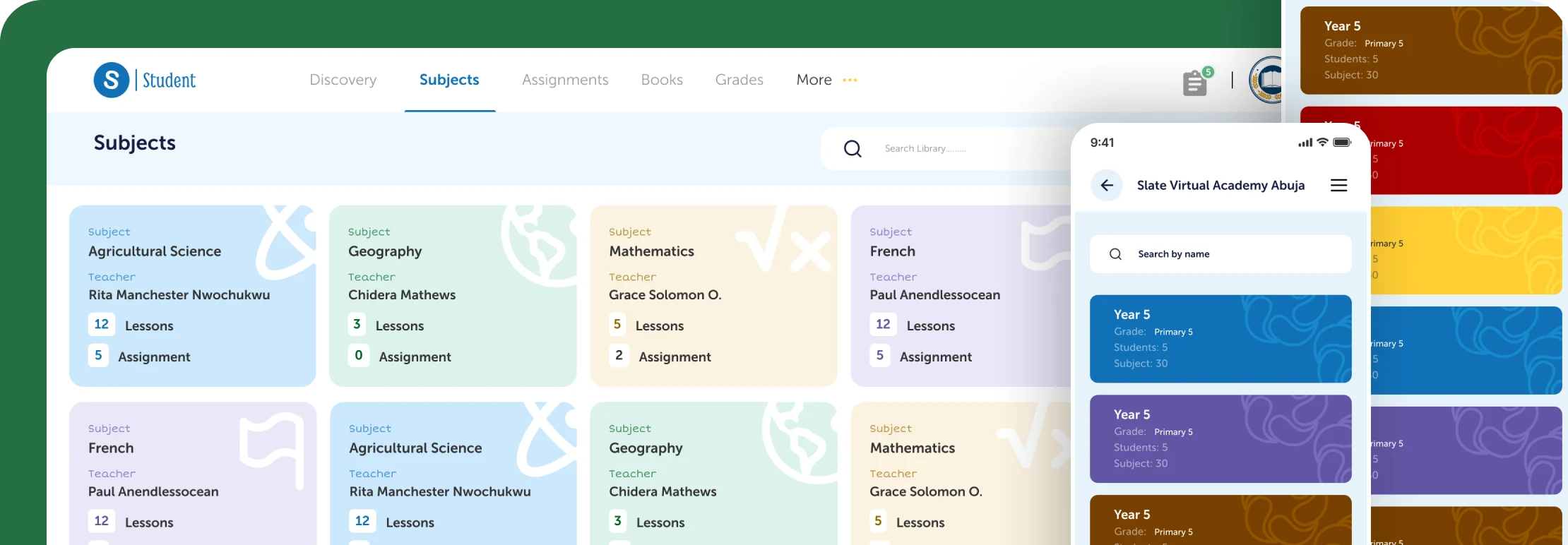
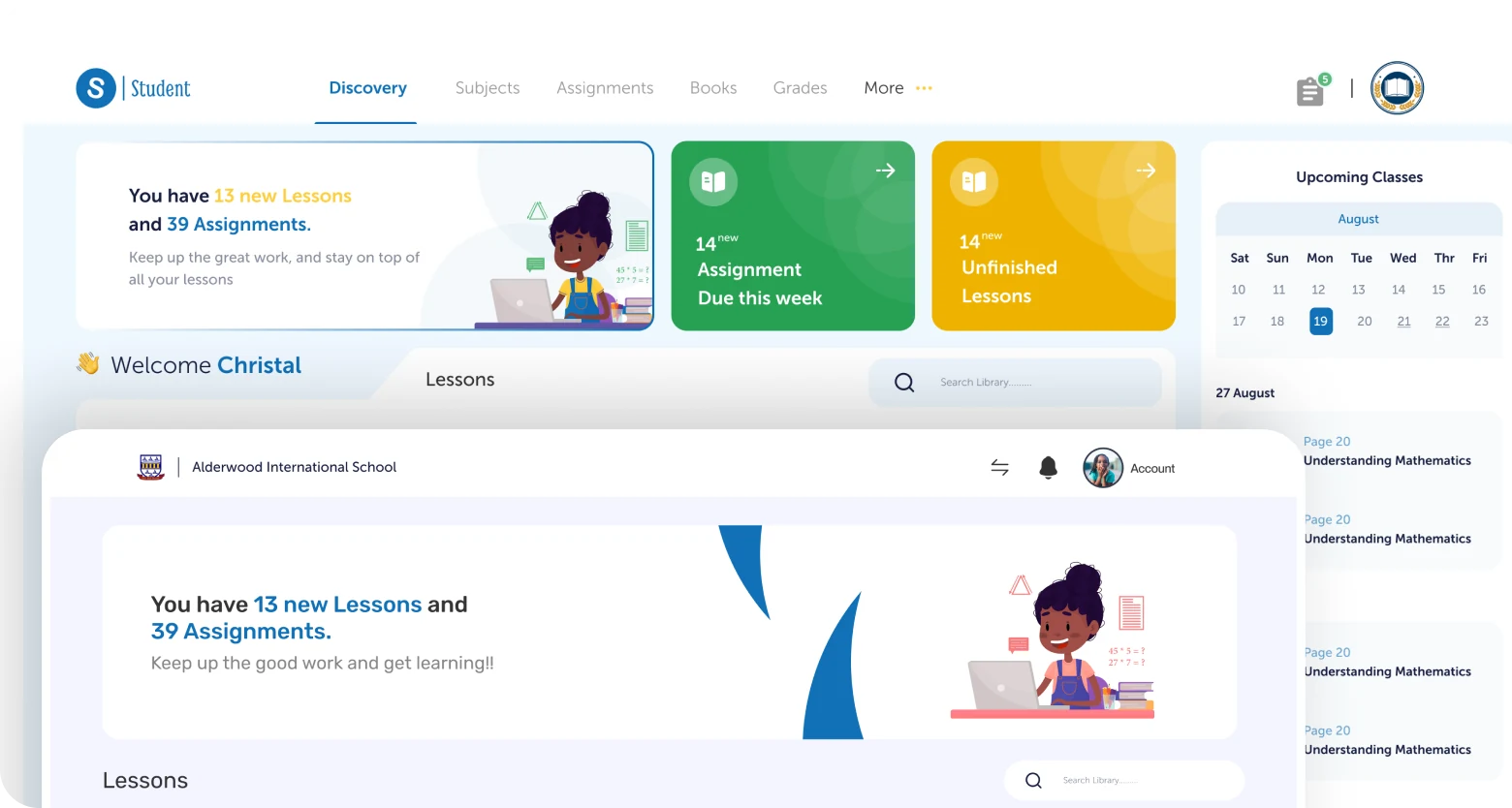
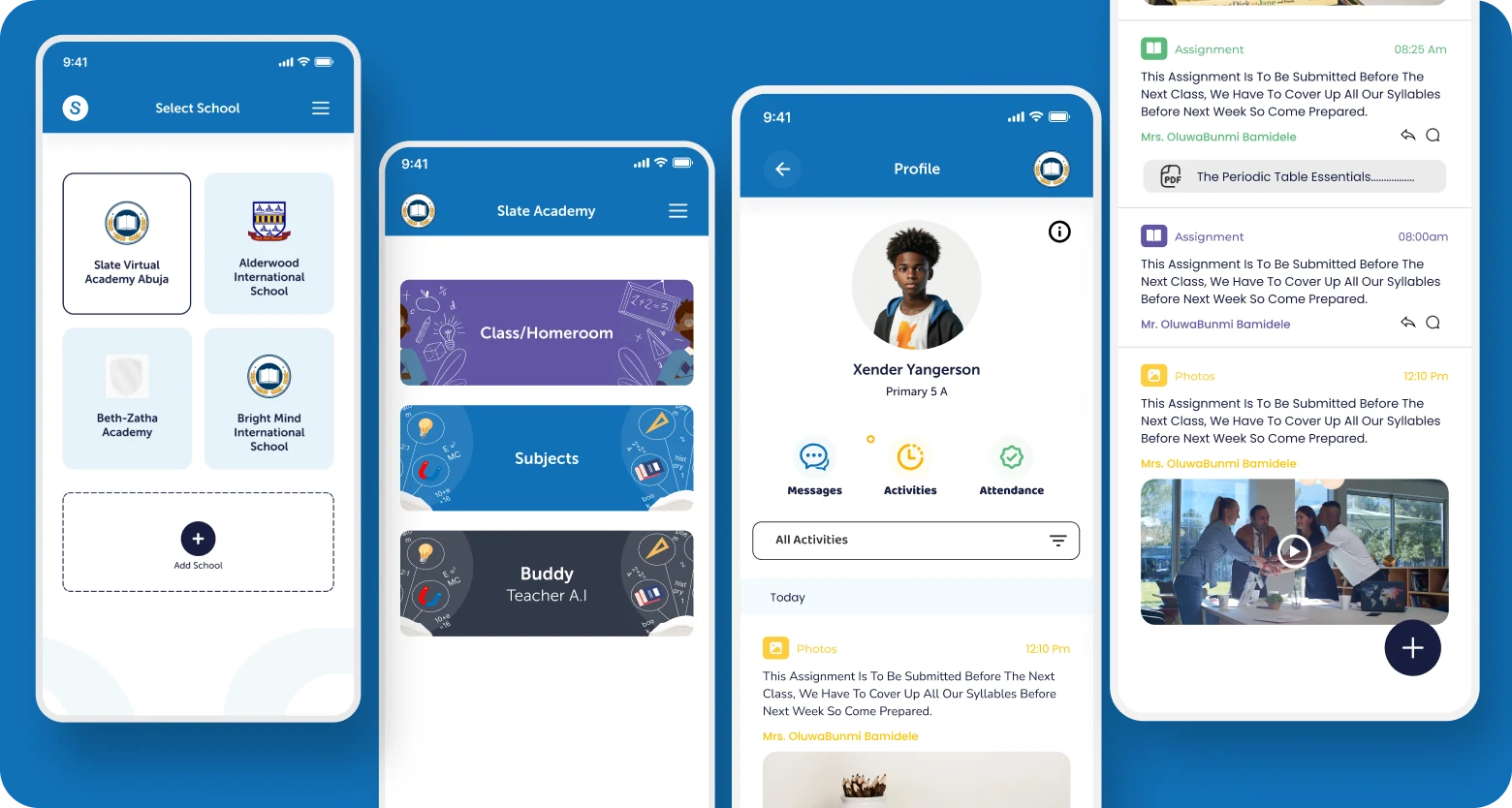
Two of those relayed requests shaped entire surfaces of the product. Parents wanted to see their child's school activities and events for the day and the week — that request became the Activities section of the parents app. Students needed to see the assignments and activities their teachers set, then complete and submit them — the student app's assignments surface was designed around exactly that loop.
03 A unified ecosystem, not a collection of tools
Slate extended beyond traditional learning management. The ecosystem included several interconnected areas, each designed to reduce fragmentation across educational processes.
Learning Management System
Supporting teaching and learning activities through structured digital experiences. I contributed to this area as part of the wider design team, working on core LMS flows and interface patterns.
School administration
Helping institutions manage operational processes more efficiently: from student records and staff management to scheduling and communication across the school hierarchy.
Fee management
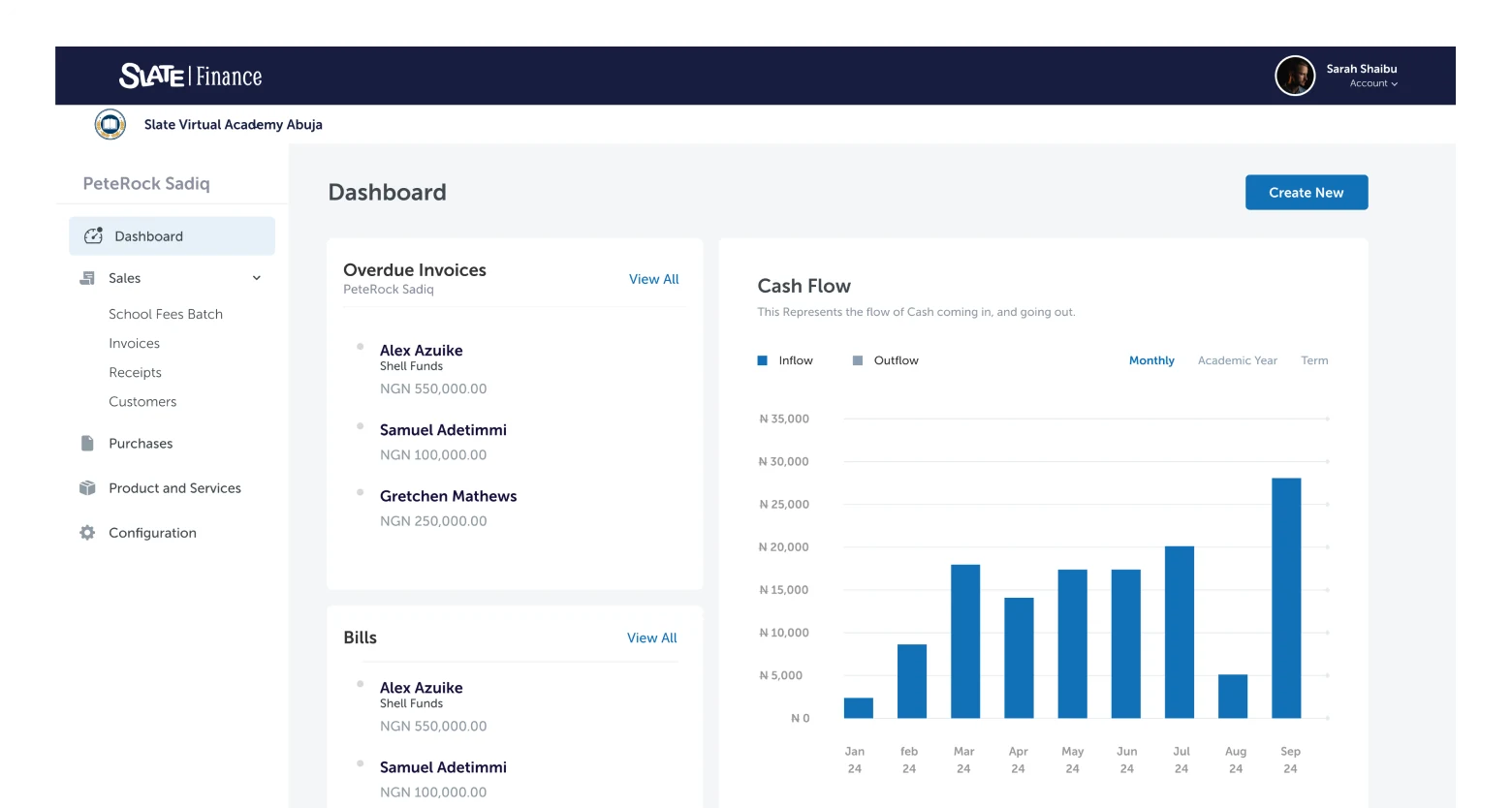
A clearer and more organised approach to handling financial interactions within schools, covering fee collection, payment tracking, and financial visibility for administrators and parents.
Student elections (Slate E-Vote)
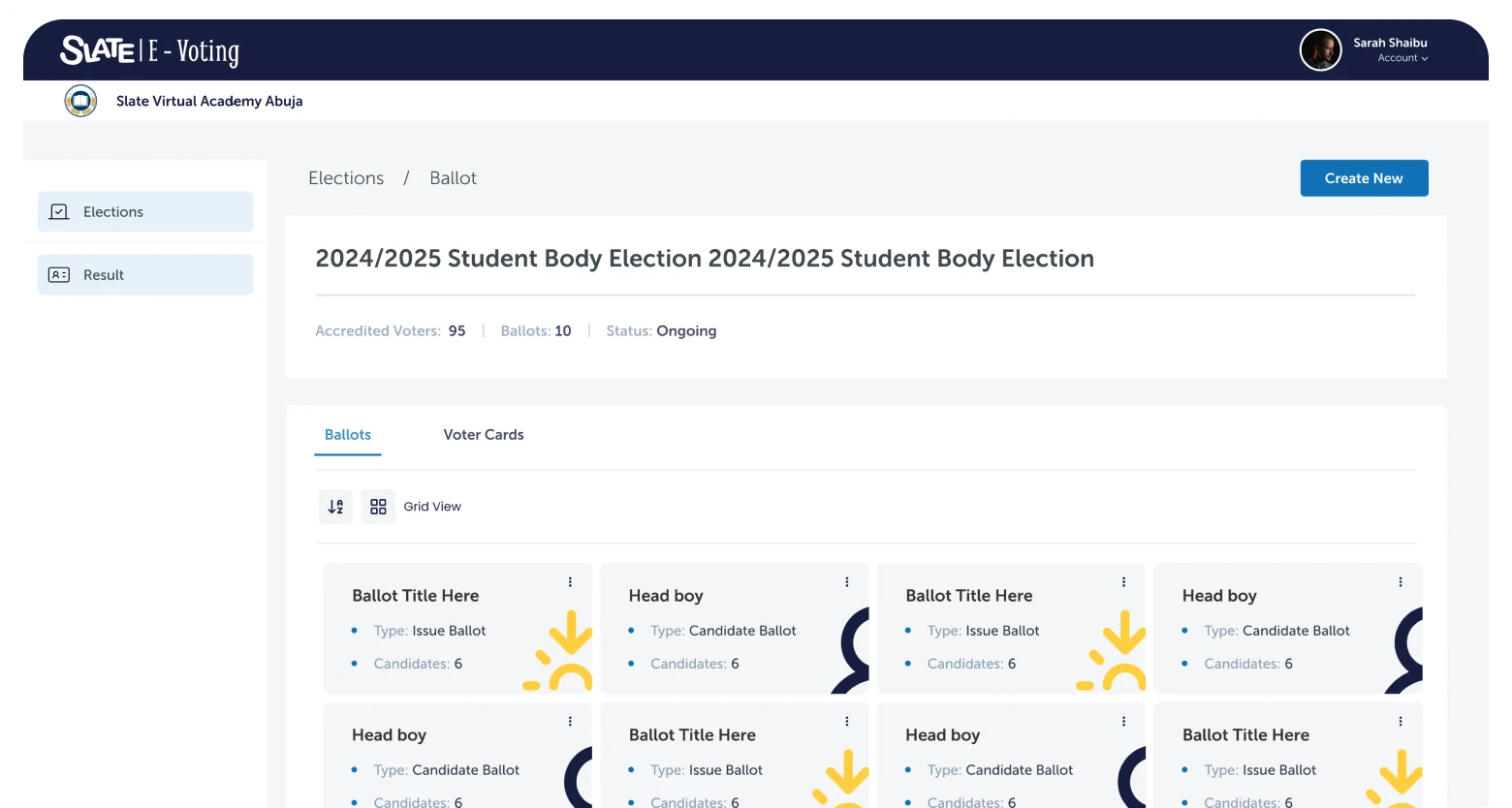
A full election management system for student body polls: creating elections, defining positions, nominating and screening candidates, running the vote, and publishing results — with separate experiences for electoral officers and student voters.
Analytics & reporting
Enabling stakeholders to access insights and monitor educational activities through reporting tools designed for decision-making at the school and administrator level.
04 Running a student election people trust
E-Vote began as a direct request from school management: they wanted a fair, transparent way for students to elect their representatives — head boy, head girl, labour prefects and the other student leadership roles. An election is also the one moment in the school year where the software has to be unarguable, so E-Vote was designed around auditability and a voting flow simple enough to need no instruction.
The system splits cleanly in two. Electoral officers get a management surface for creating an election, defining positions, screening nominations and publishing results. Students get a deliberately narrow path: see the positions, review the candidates, cast one vote each, done.
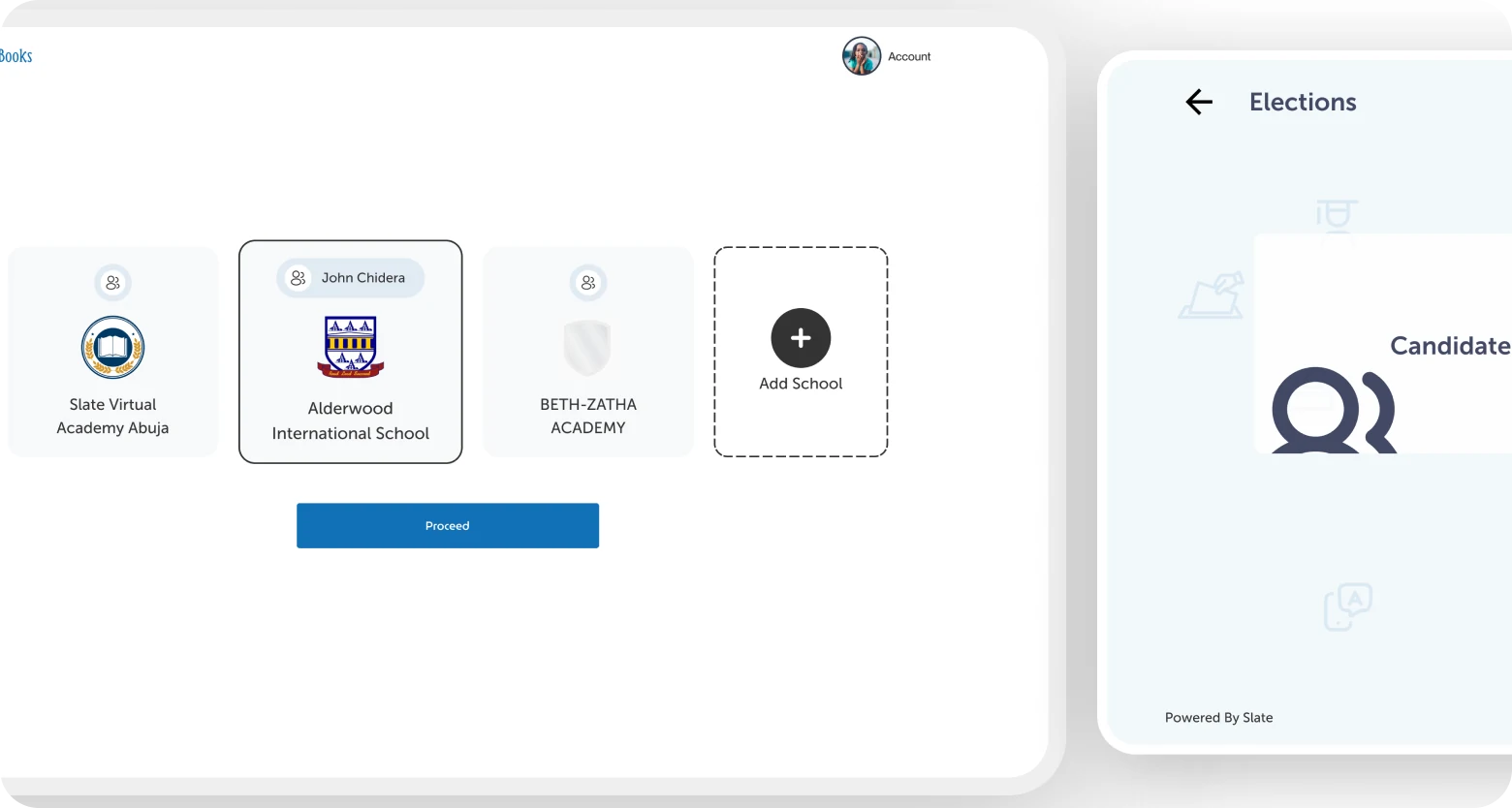
Voting happens on whatever is available — a phone, a shared kiosk in the school hall, or a desktop in the lab — so the same ballot had to hold up across all three without changing what a vote means or how it is recorded.
Results reporting was designed as part of the voting experience rather than an afterthought: counts per position, turnout, and a record of the election that administrators could show to anyone who asked.
05 How I approached the work
Information architecture
With multiple user groups and interconnected modules, I started by mapping the structure of the ecosystem, defining how content, data, and tasks related across roles before any interface design began.
User flow design
Each user group required distinct flows for their core tasks. I mapped these end-to-end, identifying where flows intersected across roles and where they needed to diverge, ensuring the system worked for all users without burdening any single one.
Interface design
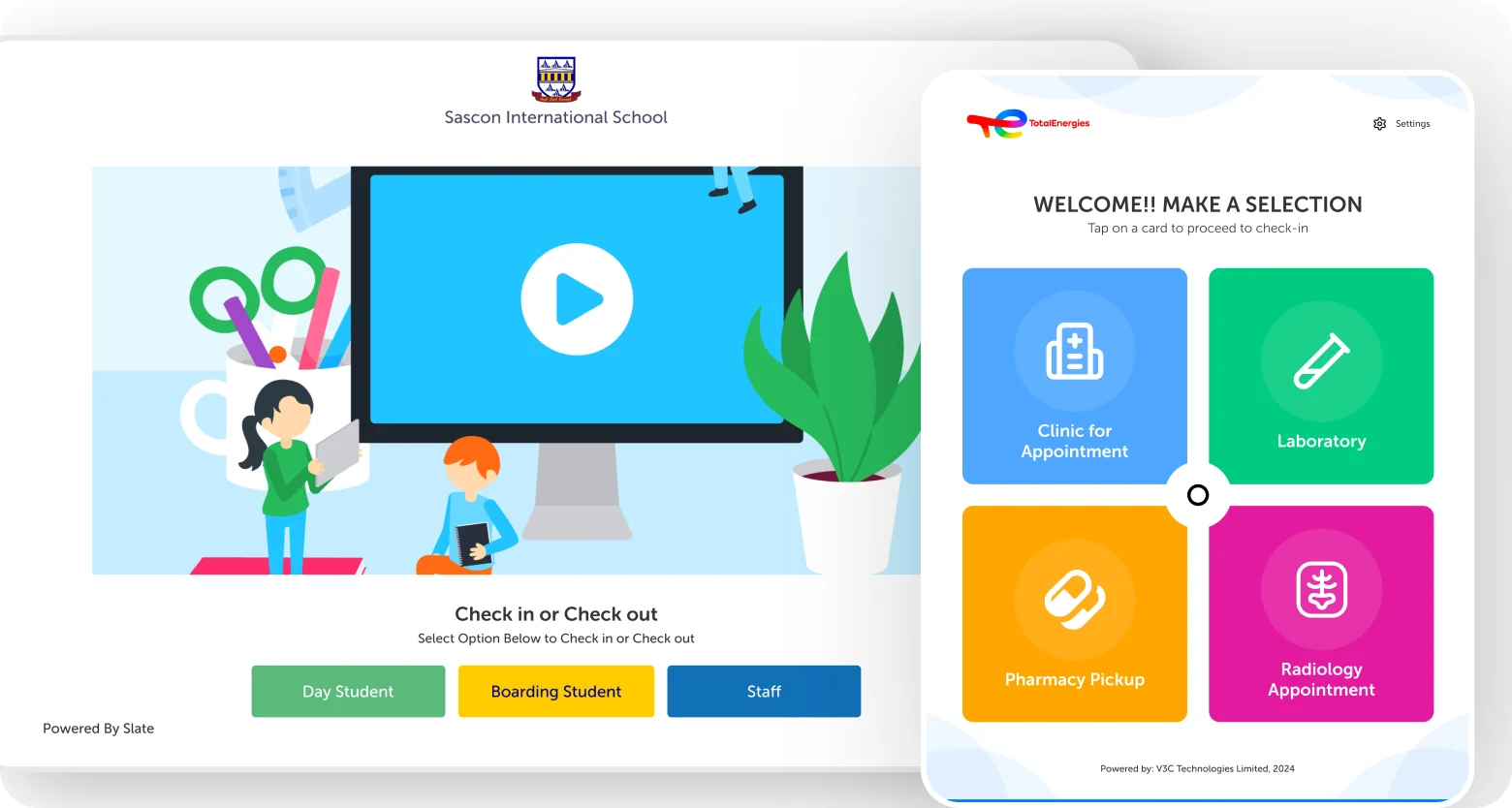
Translating flows into interfaces designed for each platform's context: desktop for administration, mobile for parents and students, tablet for classroom use, and kiosk for high-frequency, simplified interactions.
Cross-platform experience design
The objective wasn't to replicate screens across devices but to optimise experiences for how people actually worked. Each platform adapted the same underlying system, not duplicating it, to match the interaction model and usage context of its users.
Stakeholder collaboration & iteration
Regular design reviews with the Slate team and business stakeholders kept decisions grounded in what schools were reporting. Relayed feedback from administrators, teachers, parents and students shaped terminology, navigation and feature priorities across iterations.
06 What shaped the work
Two major challenges defined the engagement and influenced how design decisions were made throughout the project.
Navigating technical constraints
Design decisions had to account for implementation realities. Working closely with engineering meant constantly balancing ideal user experiences with what was technically feasible within scope and timeline. Constraints often became opportunities, surfacing moments to simplify flows and focus on what mattered most to users.
Aligning stakeholder expectations
Educational products serve multiple audiences with competing priorities. Teachers, administrators, parents, and business stakeholders all had different perspectives on what success looked like. A significant part of the work involved identifying common goals, surfacing conflicting requirements early, and designing solutions that balanced user needs with organisational objectives.
07 Impact
What shipped over the eight months: contributions to the LMS as part of that design team, and — as sole designer — the administration, fee management and analytics surfaces, plus the complete E-Vote election system across desktop, mobile and kiosk, replacing the fragmented multi-tool processes schools were using.
Honesty note. Usage wasn't instrumented during my engagement, so I don't have engagement or adoption numbers to claim. What I can say is what shipped, and that the requests that drove the design — parents' visibility into activities, students' assignment loop, management's need for elections students could trust — were each addressed directly in the product.
08 What this project reinforced
Slate reinforced the importance of systems thinking in product design. Complex products are rarely difficult because of the number of screens they contain. They become challenging because of the relationships between users, processes, goals, and constraints.
Designing for education meant understanding those relationships and creating experiences that reduced complexity without reducing capability. The platform needed to feel simpler for every user group, not by removing functionality, but by surfacing the right things in the right context.
The project strengthened my ability to work across multiple platforms, navigate competing stakeholder priorities, and design products that support real operational needs at scale.
The job on Slate was deciding where complexity belongs — surfacing the right things for each role rather than stripping features away.
09 The work