01 Legal aid on paper, not in practice
The Legal Aid Council of Nigeria (LACON) is the federal body mandated to provide free legal representation to Nigerians who can't afford it, covering criminal defence, civil matters, and human rights cases. Despite this mandate, access was severely limited by geography, bureaucracy, and awareness. Most people who qualified for legal aid never received it.
LACON needed a digital platform to transform how citizens applied for legal aid, how lawyers managed cases, and how the Council oversaw operations across all 36 states. My brief was to design a system that worked for three radically different users simultaneously.
In Nigeria, lack of access to legal aid directly correlates with wrongful imprisonment and rights violations. A bad design decision in this system could mean someone stays in pretrial detention longer than they should.
02 Three users in a broken system
The discovery work ran through LACON's own officials: people who had been into the correctional centres, and who work directly with the council's cases day to day. Their accounts of applicants, caseloads and where the existing process failed are what the user profiles below are built from.
The applicant
A Nigerian citizen in crisis, often poorly educated, stressed, potentially in custody or supporting a detained family member. Has never interacted with formal legal systems before. Needs radical simplicity.
The legal aid lawyer
A LACON-assigned lawyer managing multiple cases across courts and states. Needs case tracking, document management, and communication tools, without having to use three separate systems.
The LACON administrator
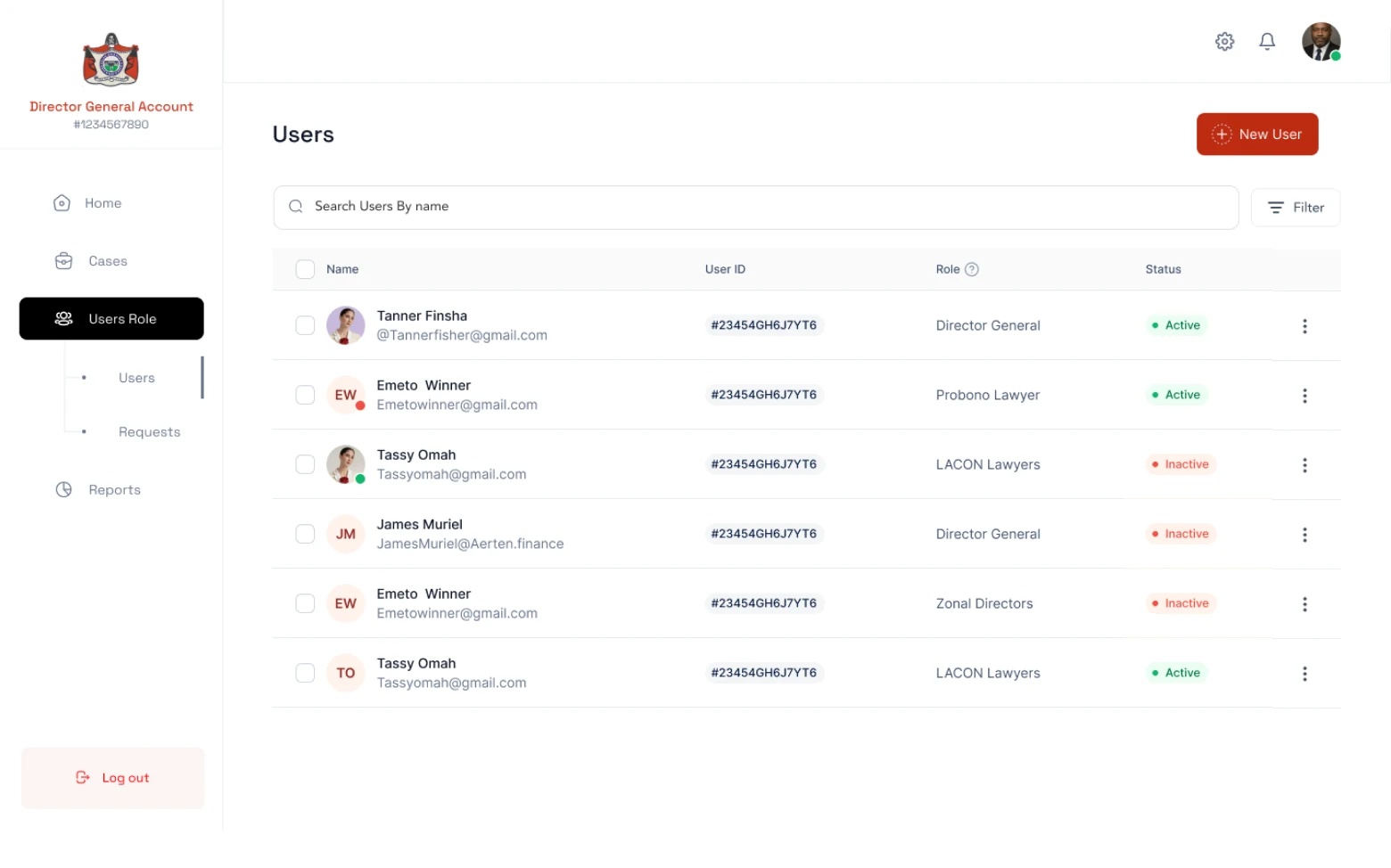
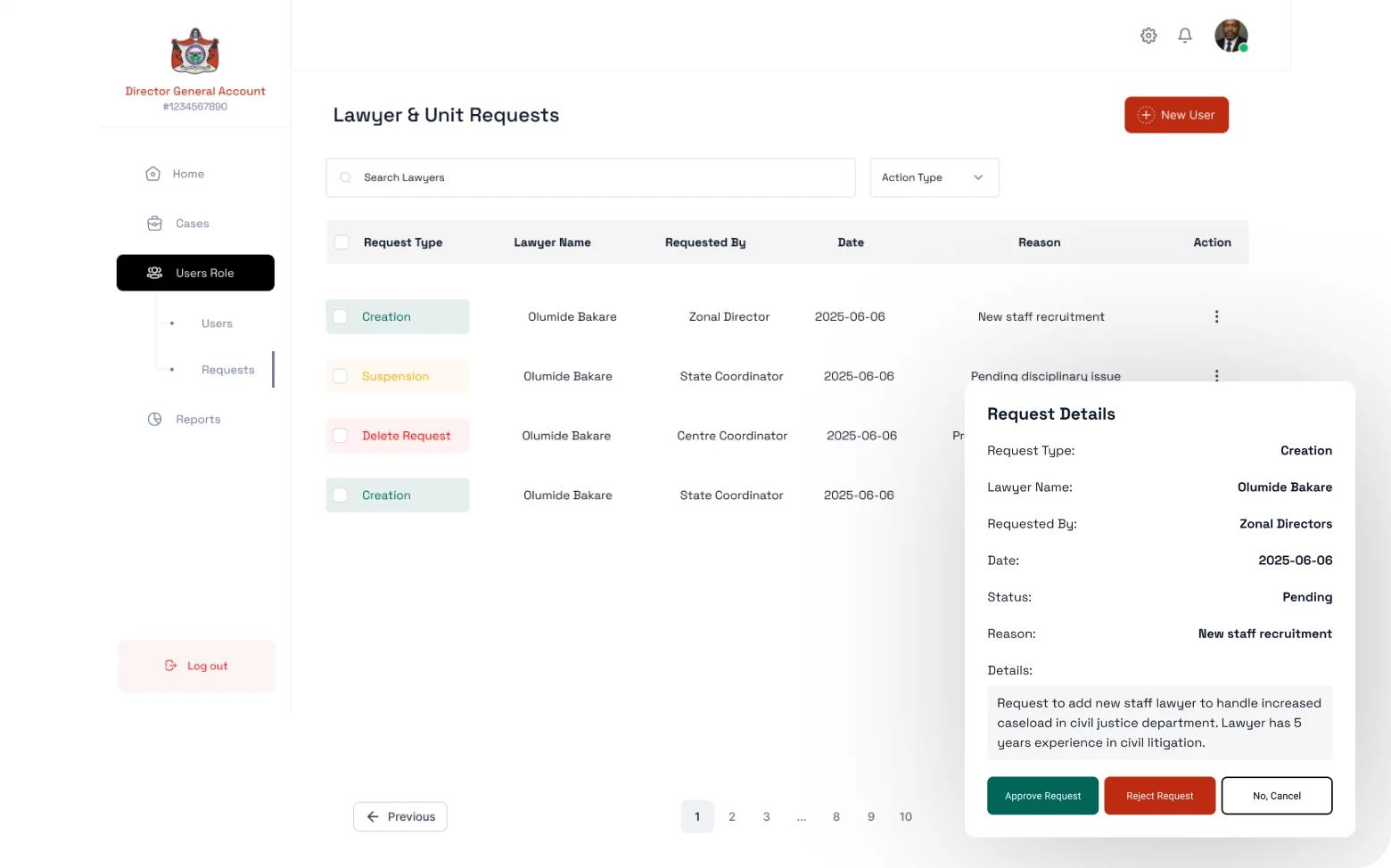
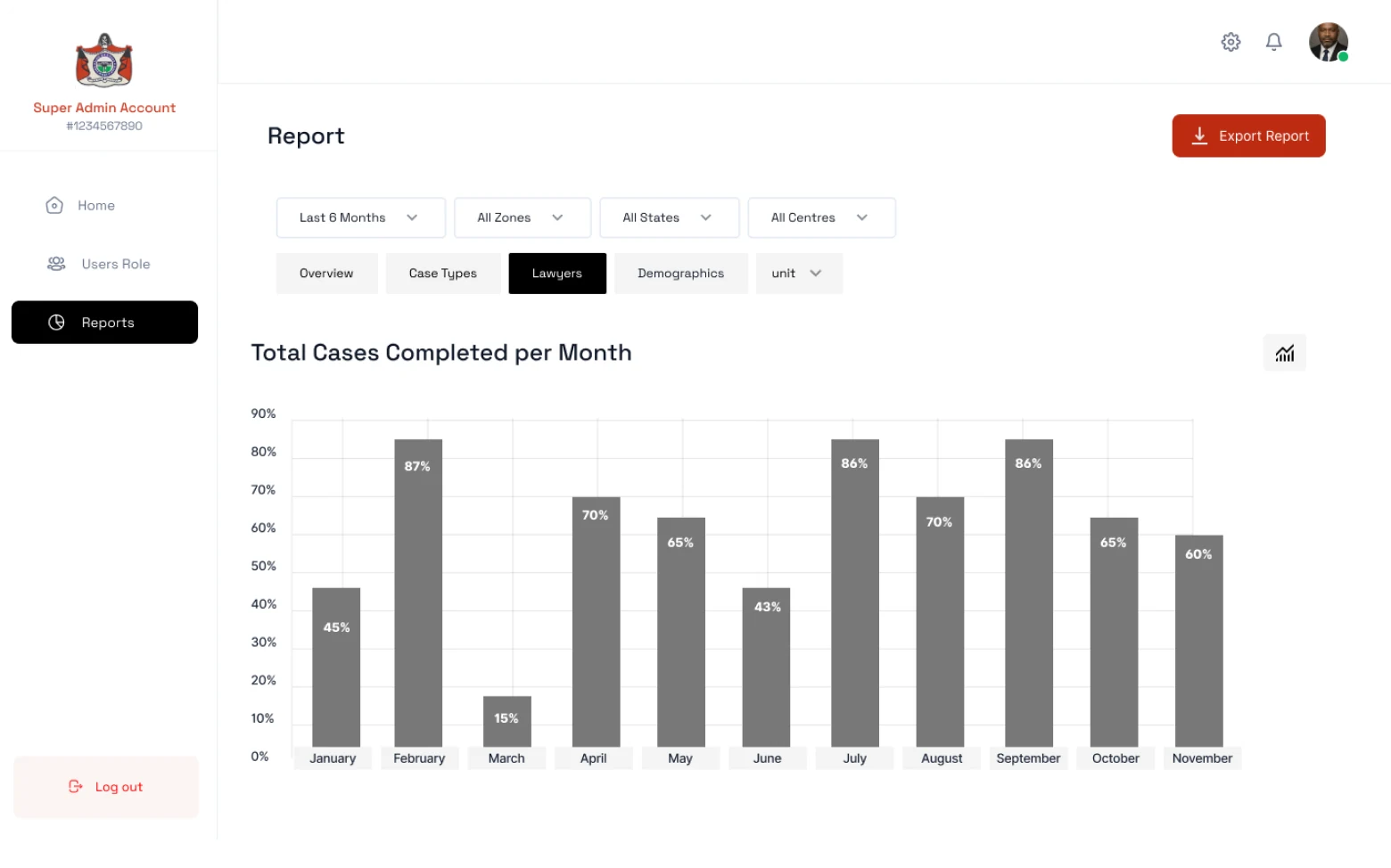
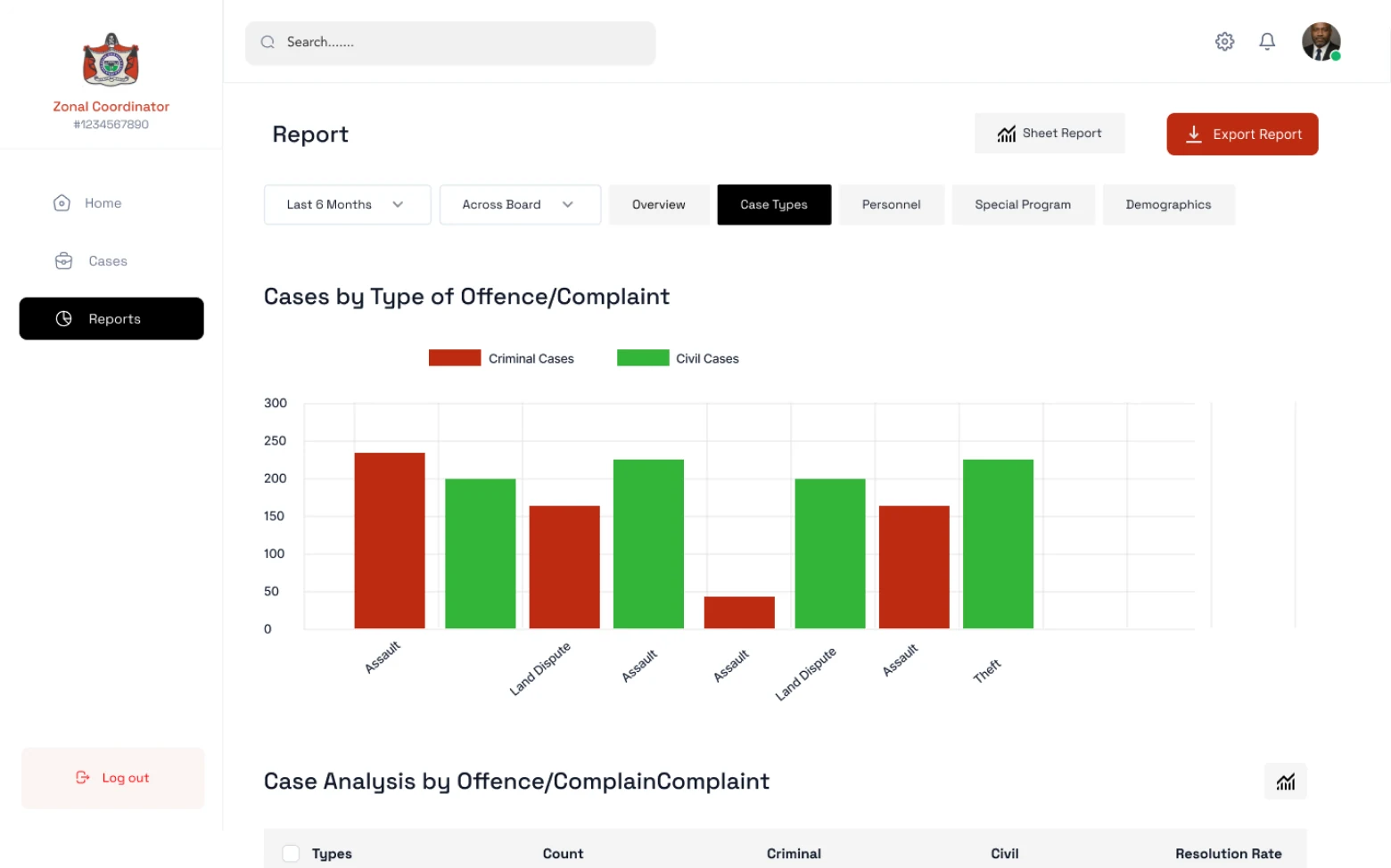
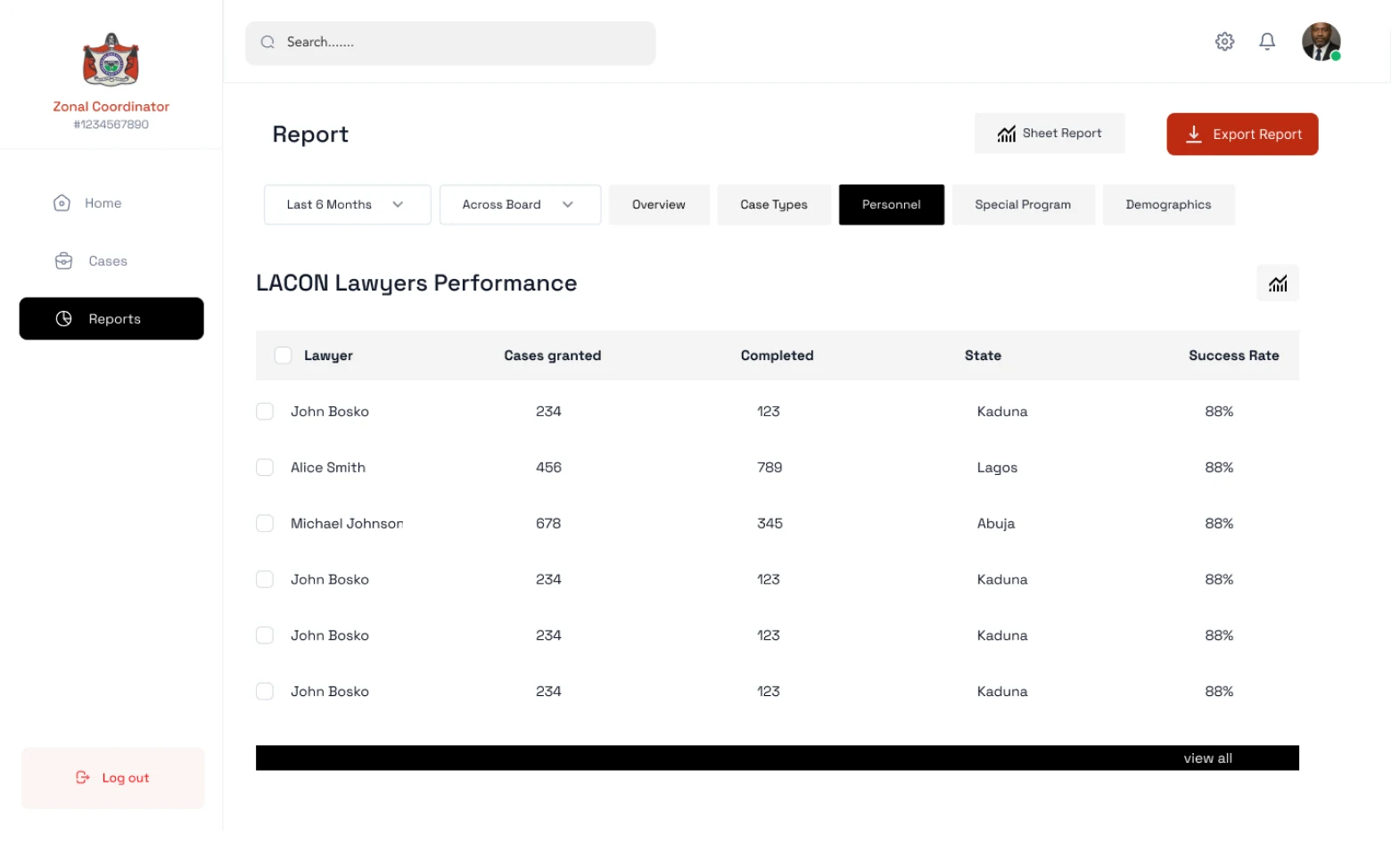
A council officer managing intake, assignment, and oversight. Needs visibility into caseload, geographic distribution, and resolution rates. Currently doing this in spreadsheets and folders.
Geographic access gap
LACON offices exist in every state but are clustered in cities. Rural applicants had no practical way to reach them. The digital platform had to solve access for people who couldn't walk in.
03 Designing access as the entry point
Eligibility as the first UX problem
Before a citizen applies, they need to know if they qualify. I designed an eligibility checker as the entry point: a short, plain-language screening flow that told people immediately whether they qualified, and if not, why and what alternatives existed. This prevented wasted applications and set expectations from the start.
Designing for low literacy and high stress
Applicants in crisis don't read carefully. I designed the application flow with short, single-question screens, plain language, and clear progress indicators. Every question had a plain-English explanation of why LACON needed it. The form could be saved and completed in multiple sessions.
Case management for lawyers
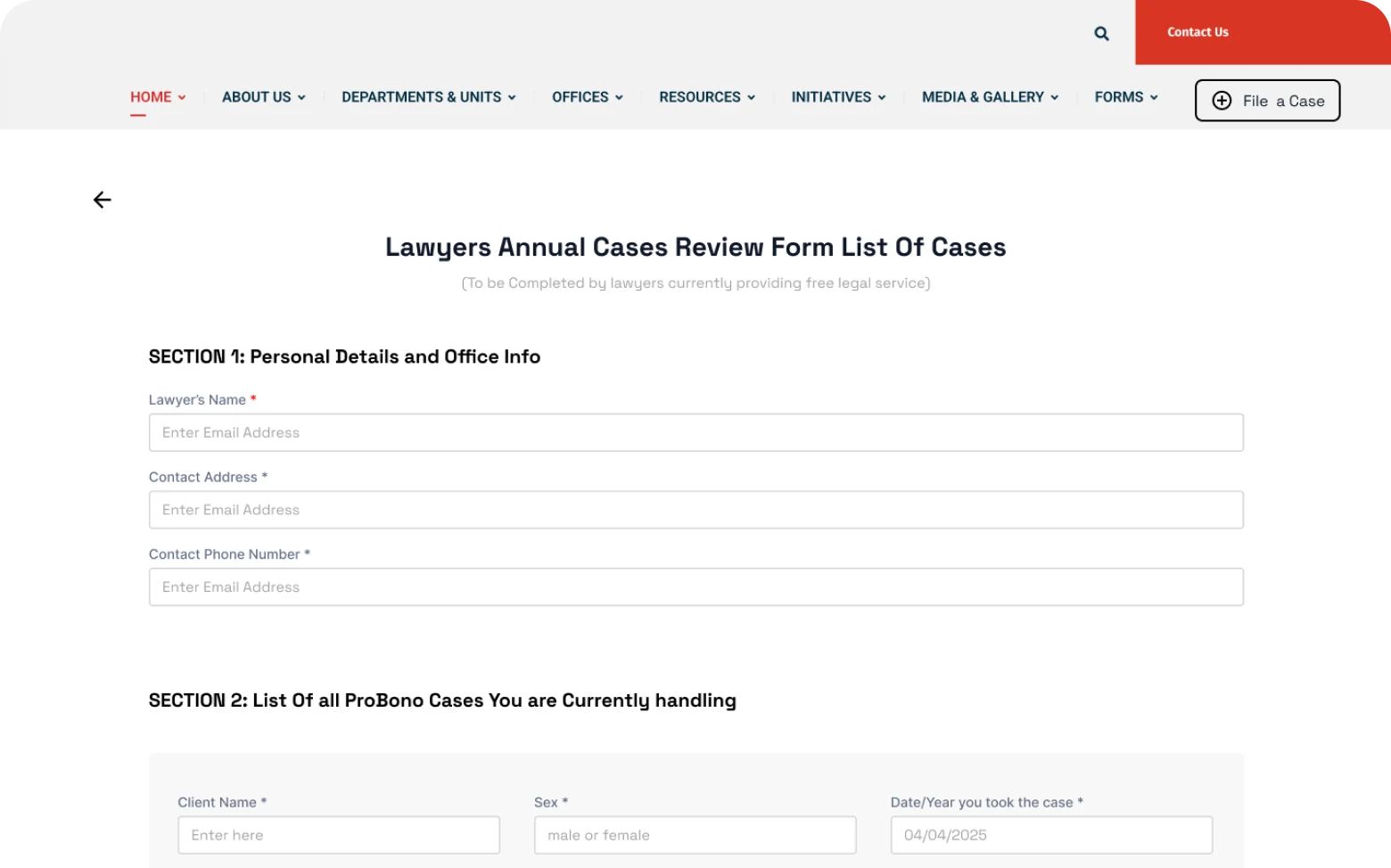
I designed a structured case management workspace for LACON lawyers: a clear case timeline, document upload and organisation, court date tracking, and a communication log with clients and administrators. This replaced an informal, paper-and-phone system with no auditability.
Assignment logic visible to admins
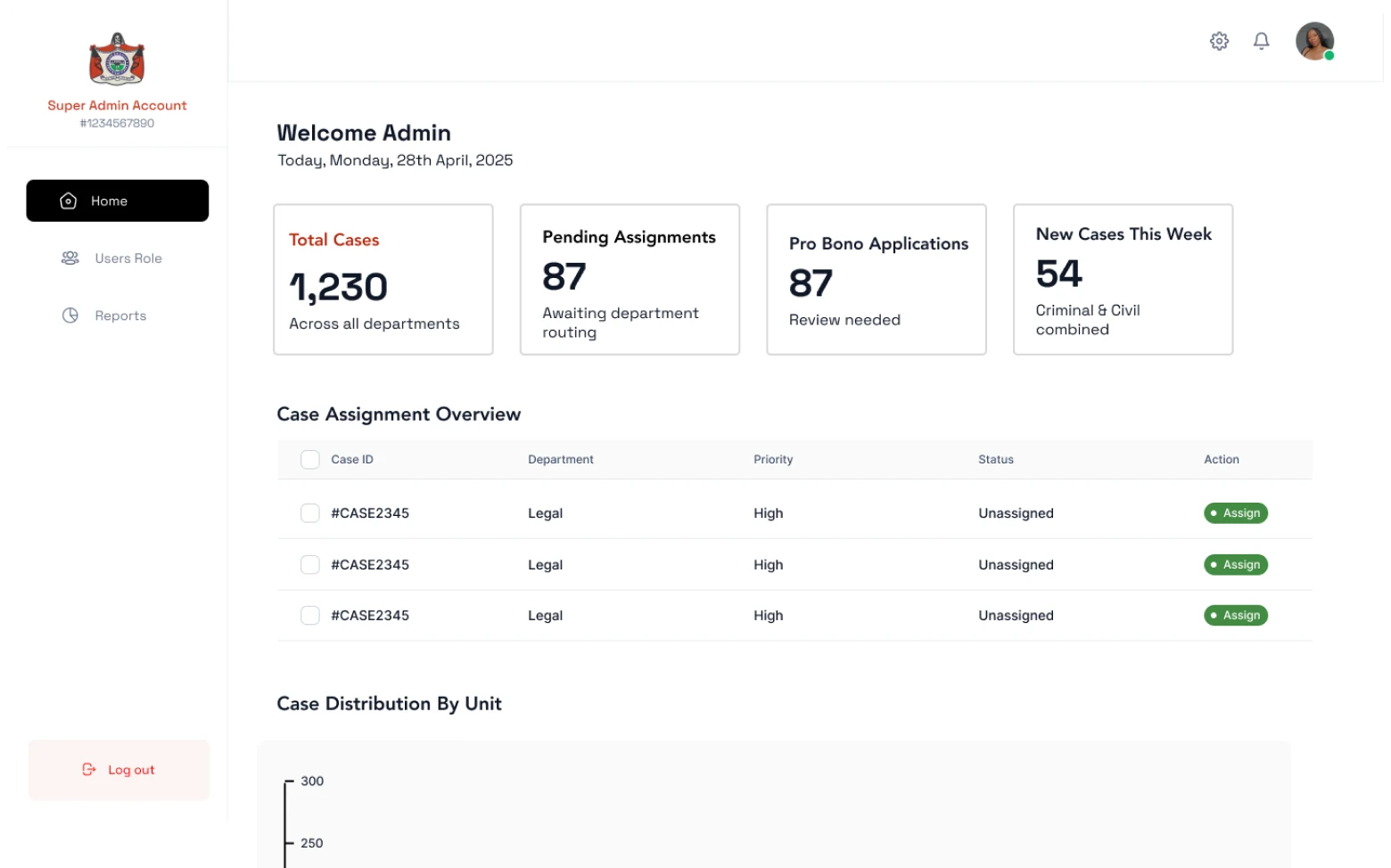
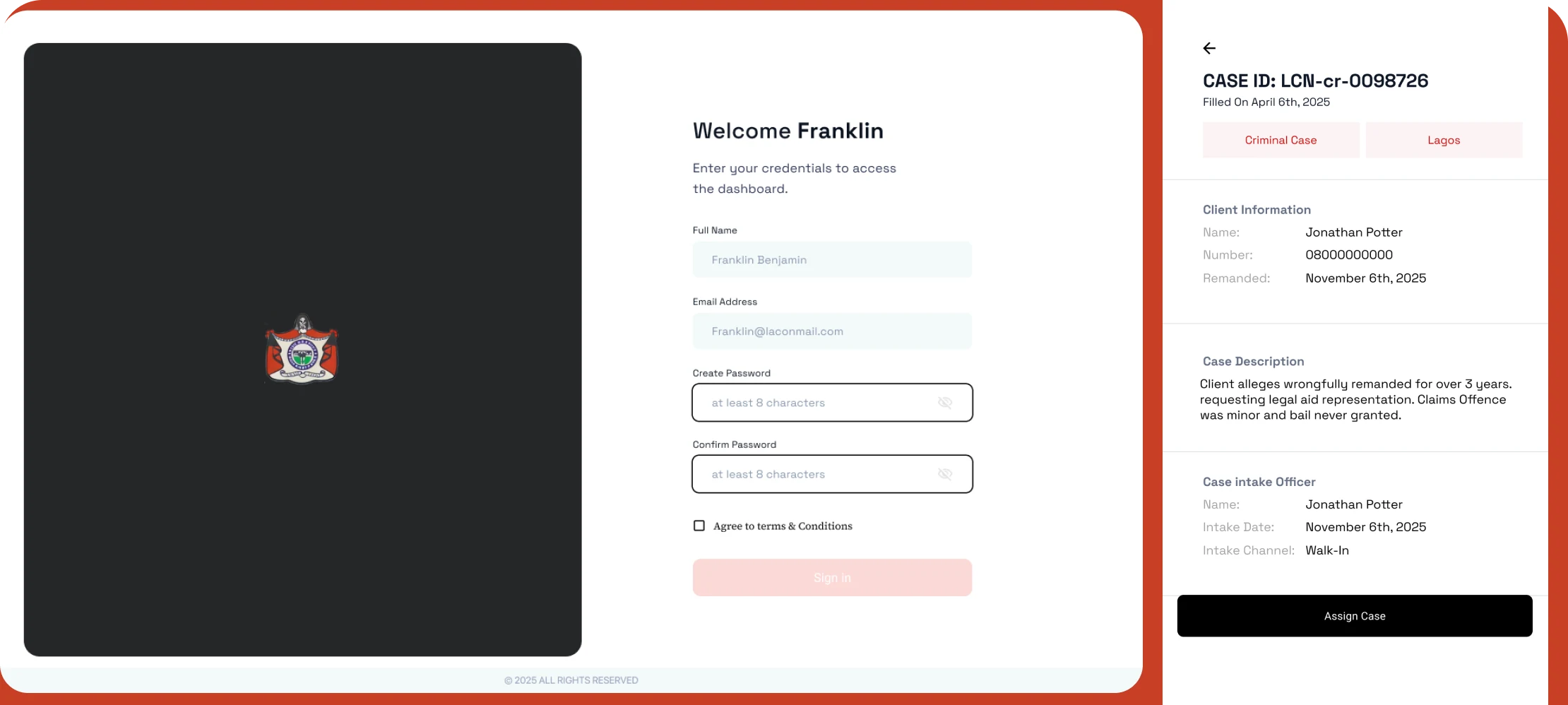
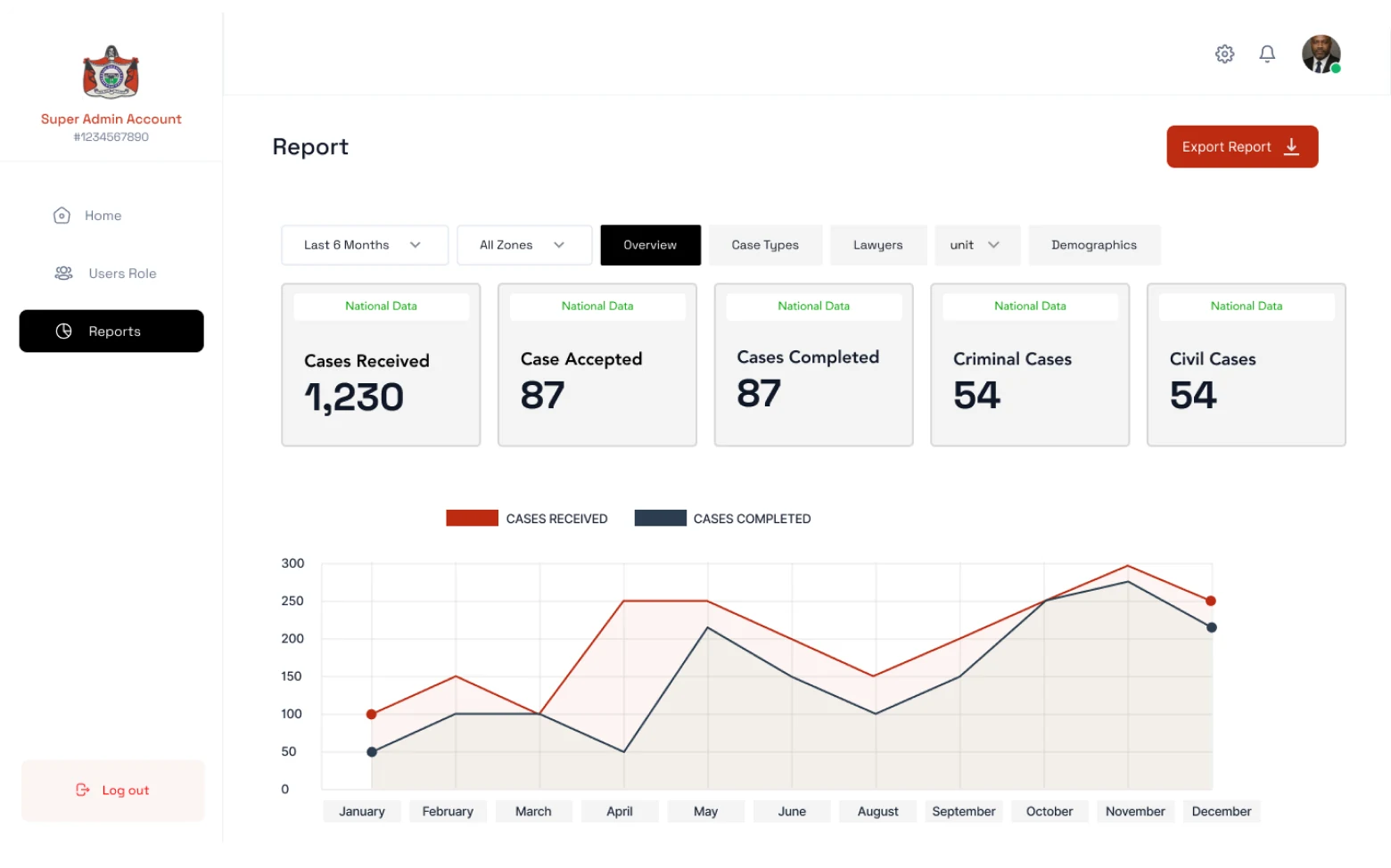
When a new application came in, an admin had to assess it and assign it to an appropriate lawyer based on case type, lawyer capacity, and geographic location. I designed a structured intake dashboard with filtering, priority flags, and one-click assignment, replacing a verbal/email process with a traceable system.
Status visibility for applicants
Once submitted, applicants had no way to know what was happening with their case. I designed a simple, phone-accessible status tracker — no login required, just a case reference number — showing where they were in the process and what to expect next.
04 The application intake flow
The citizen application flow was the hardest design problem. It needed to collect complex legal and personal information from people who were often frightened, in a hurry, and unfamiliar with formal processes.
One of the most impactful decisions was the <strong>reference number system</strong>. After submitting, applicants received a simple alphanumeric reference they could note down or screenshot. No account, no password, no login. They could check case status from any device, any browser, by entering just that reference, reducing the technical barrier to staying informed about their own case to near zero.
For the <strong>admin portal</strong>, the critical insight was that case assignment was a relationship problem, not a routing problem. I designed a lawyer profile view within the assignment workflow so admins could see not just capacity but case type expertise and current caseload composition, making better matches between cases and lawyers.
05 Designing for low digital literacy and high distress
LACON users are not a typical product audience. Many are poorly educated, in emotional distress, or accessing legal services for the first time — so accessibility was the central design constraint, shaping decisions rather than being checked at the end.
Legibility first
A high-contrast palette of dark text on light surfaces, chosen with WCAG AA contrast guidance in mind — for low-end screens, cracked glass and bright outdoor light.
Sized for one hand
Large touch targets and generous spacing throughout the forms, because the primary access device for applicants is a phone, and often a small one.
Plain language throughout
Forms and guidance written in short, everyday sentences for people reading under stress or with limited literacy — no legal terminology without an explanation beside it.
Labels that say what to do
Every form field carries a descriptive label and errors state the fix, keeping the flow predictable for assistive technology and for first-time users alike.
The case status tracker was built without requiring a login, just a reference number. This was an explicit accessibility decision: removing the authentication barrier for users who may not have email access or who would struggle to manage a password under stress.
06 Impact
The delivered platform replaces a walk-in, paper-based process with a digital one: citizens can check eligibility, apply, and track a case by reference number from any device; lawyers get a structured, auditable case workspace; administrators get real-time visibility into caseloads and assignment.
Honesty note. The platform was delivered to LACON but had not launched publicly by the end of my engagement, so there are no usage outcomes to report. Everything above describes what the delivered system does, not adoption.
07 What this project reinforced
Designing for justice requires balancing empathy with operational efficiency. The citizen applying for legal aid and the administrator processing hundreds of cases a week have fundamentally different needs, and both are equally important to get right.
Prioritising the citizen's experience meant accepting more complexity on the admin side. Streamlining the admin workflows meant carefully designing citizen-facing flows that still collected everything needed without overwhelming people already under stress.
The work strengthened my ability to hold those two design imperatives simultaneously, and to treat service delivery infrastructure not as a back-office problem, but as a direct extension of access to justice.
Designing for access and designing for efficiency are often in tension. The most efficient admin flow is rarely the most accessible citizen flow. The job is to hold both in balance without sacrificing either.
08 The work